Let me guess — you’ve bookmarked a dozen AI tools over the past year, tried half of them, and most either added a paywall or just quietly disappeared. Sound about right?
I’ve been testing AI tools pretty obsessively over the past couple of years, and honestly, 2026 is probably the best time to be using them. The free tiers have gotten significantly better, the tools are more reliable, and you can now build an entire workflow — writing, design, video, coding — without paying for a single subscription.
So I put together this list of the best free AI tools in 2026 that I’ve personally tested and continue to use. No affiliate-driven fluff, no tools I haven’t actually tried. Just the ones that deliver real value without asking for your credit card.
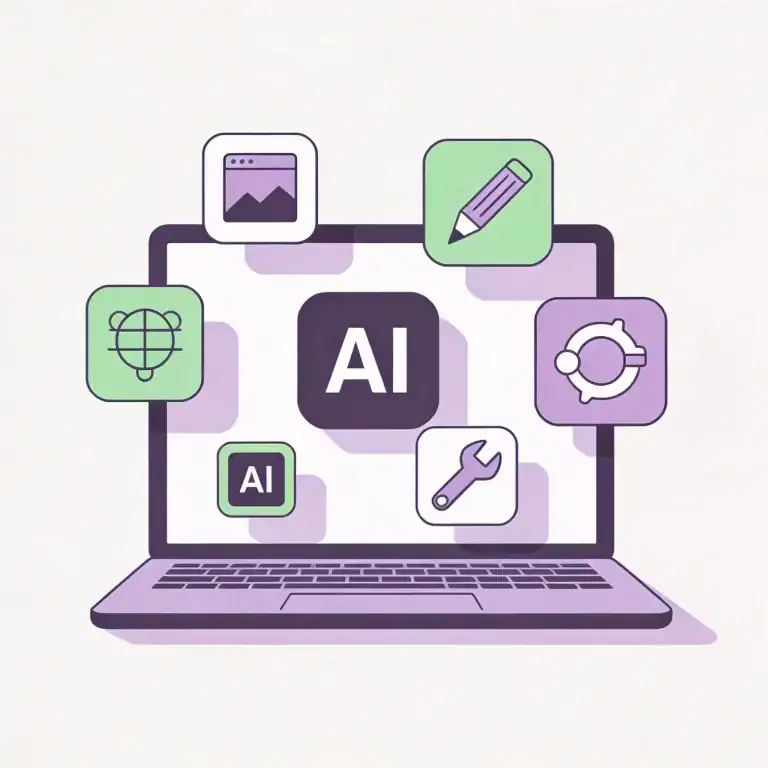
What Makes a Free AI Tool Actually Worth Using?
Contents
- 1 What Makes a Free AI Tool Actually Worth Using?
- 2 Best Free AI Writing Tools (2026)
- 3 Best Free AI Design and Image Tools (2026)
- 4 Best Free AI Productivity Tools (2026)
- 5 Best Free AI Video Tools (2026)
- 6 Best Free AI Coding Tools (2026)
- 7 Complete Comparison — All 12 Tools at a Glance
- 8 5 Tips to Get More from Free AI Tools
- 9 Frequently Asked Questions
- 10 Final Thoughts
- 11 You May Also Like
Before jumping into the list, here’s the filter I applied when choosing these tools. Not every “free” AI tool deserves your attention — many are just thinly veiled upsells or glorified demos. The ones that made this list had to pass four criteria:
- Genuinely free — A real free plan you can use indefinitely. Not a 7-day trial with a credit card requirement.
- Reliable output — It should consistently give you usable results, not random garbage every third attempt.
- Easy to pick up — If I need to watch a 45-minute tutorial just to do a basic task, it’s out.
- Active development — The tool should be actively maintained and improving, not abandoned.
With that framework in mind, here are the 12 tools that made the cut.
Best Free AI Writing Tools (2026)

1. ChatGPT
AI Writing
ChatGPT’s free tier in 2026 is a completely different beast from what it was two years ago. OpenAI has expanded free access to include GPT-4o, which means you’re getting genuinely capable AI responses without paying anything. I use it almost daily — brainstorming ideas, rewriting clunky paragraphs, drafting emails, even debugging simple code.
✅ What I Like
- GPT-4o access on the free plan — huge upgrade
- Conversational and intuitive — just type and go
- Great at understanding context and follow-ups
- Image input and basic image generation included
❌ Could Be Better
- Usage limits during peak hours
- Sometimes confidently gives wrong answers
- Not ideal for very recent or niche topics
Free plan includes: GPT-4o (limited daily), GPT-4o mini (unlimited), image generation, file uploads, web browsing
2. Google Gemini
AI Writing
Google’s AI has quietly become one of the most reliable free writing and research tools available. What sets Gemini apart is its real-time web access — it pulls current information from Google Search, so you’re far less likely to get outdated answers. I find it particularly strong for research-heavy writing and fact-checking.
✅ What I Like
- Always connected to current web information
- Integrates with Google Workspace (Docs, Gmail, Drive)
- Image understanding and generation included free
- “Double-check” feature verifies its own answers
❌ Could Be Better
- Writing style can feel generic sometimes
- Occasionally over-explains simple concepts
Free plan includes: Full Gemini access, web search, image generation, Google Workspace integration
3. Claude
AI Writing
If ChatGPT is the popular kid and Gemini is the smart researcher, Claude is the thoughtful writer who actually reads the entire assignment before answering. For long-form content — blog posts, detailed reports, essays — Claude produces the most natural, well-structured writing I’ve seen from any free AI tool. The free plan gives you Claude 3.5 Sonnet, which is the same model paid users get.
✅ What I Like
- Best writing quality — most human-sounding output
- Handles massive documents (up to 200K tokens)
- Excellent at complex, multi-step instructions
- Less likely to hallucinate compared to competitors
❌ Could Be Better
- Daily message limits can feel restrictive
- No real-time web access
- No image generation capability
Free plan includes: Claude 3.5 Sonnet access, file uploads, long document analysis, code generation
💡 Pro Tip
Don’t rely on just one writing tool. I use Claude for drafting long-form content, Gemini for researching facts, and ChatGPT for quick brainstorming. Each has different strengths — combining them gives you better results than any single tool.
Best Free AI Design and Image Tools (2026)

4. Canva
AI Design
Canva has been the go-to design tool for non-designers for years, and their AI features have pushed it even further ahead. The free plan now includes Magic Media (AI image generation), background remover, and AI-powered design suggestions. If you need social media posts, blog thumbnails, presentations, or quick graphics — Canva handles it all without requiring any design skills whatsoever.
✅ What I Like
- Dead simple — drag, drop, done
- AI image generation built into the editor
- Thousands of free templates for every use case
- Magic Resize and Background Remover on free plan
❌ Could Be Better
- Best templates locked behind Pro subscription
- AI image generation has limited free credits
- Can feel overwhelming with too many options
Free plan includes: 250,000+ templates, Magic Media (limited), Background Remover, Magic Write, 5GB storage
5. Microsoft Designer
AI Design
This one flies under the radar, but Microsoft Designer (powered by DALL-E 3) is one of the best free AI image generators available right now. The image quality is genuinely impressive — detailed, clean, and usually good enough to use without heavy editing. I use it whenever I need a custom illustration or a unique image for a blog post.
✅ What I Like
- Powered by DALL-E 3 — high-quality output
- Completely free with a Microsoft account
- Excellent at understanding detailed prompts
- Clean images with minimal visual artifacts
❌ Could Be Better
- Slower generation during peak usage times
- Limited style control compared to Midjourney
- Requires a Microsoft account to use
Free plan includes: DALL-E 3 image generation, design templates, social media post creator, daily generation limits
6. Leonardo AI
AI Design
If you want more creative control over your AI-generated images, Leonardo AI is the tool to explore. The free plan gives you 150 daily credits — enough to generate a solid number of images every day. What makes Leonardo stand out is the customization — you can choose from multiple AI models, adjust styles, use reference images, and even train your own model on the free plan.
✅ What I Like
- 150 free daily tokens — very generous
- Multiple AI models to choose from
- Image-to-image generation works well
- Community-created models available for free
❌ Could Be Better
- Steeper learning curve than Canva
- Some models produce inconsistent results
- Interface can feel cluttered for beginners
Free plan includes: 150 daily tokens, multiple AI models, image-to-image, community models, basic editing tools
Best Free AI Productivity Tools (2026)

7. Notion AI
Productivity
If you already use Notion for notes or project management, their AI features feel like a natural extension of your workflow. Notion AI can summarize your notes, generate content, extract action items from meeting notes, and brainstorm ideas — all without leaving the app. The magic isn’t in the AI itself — it’s in how seamlessly it integrates into the tool you’re already using.
✅ What I Like
- Works inside Notion — no app switching
- Summarize, translate, and rewrite in one click
- Turns messy notes into clean, structured documents
- Database and template features are incredibly powerful
❌ Could Be Better
- AI features have a usage cap on free plan
- Overkill if you just need simple note-taking
- Learning curve for advanced features
Free plan includes: Unlimited pages, limited AI queries, collaborative workspace, basic integrations
8. Perplexity AI
Productivity
Think of Perplexity as Google Search, but instead of handing you a list of blue links, it reads everything for you and delivers a clear, sourced answer. I’ve started using it instead of traditional searches for any complex question. Need to compare products? Understand a technical concept? Perplexity pulls from multiple sources, summarizes the key points, and cites exactly where each piece of information came from.
✅ What I Like
- Every answer comes with source citations
- Follow-up questions make deep research effortless
- Clean, distraction-free interface
- Pro Search gives deeper, more detailed answers
❌ Could Be Better
- Pro Search daily limit feels restrictive
- No image or creative content generation
- Sometimes over-relies on a single source
Free plan includes: Unlimited quick searches, limited Pro Searches per day, source citations, follow-up threads
Best Free AI Video Tools (2026)

9. CapCut
AI Video
CapCut has evolved from a basic mobile video editor into a full-featured, AI-powered editing suite — and the free version is shockingly generous. Auto-captions, AI background removal, text-to-speech, AI effects, and even AI script generation are all available at zero cost. If you’re creating content for YouTube, TikTok, or Instagram, CapCut is probably all you need. The desktop version feels like a simplified Premiere Pro with AI superpowers.
✅ What I Like
- Auto-captions are shockingly accurate
- AI background removal works on video in real-time
- Massive library of effects, transitions, and music — free
- Both mobile and desktop versions are excellent
❌ Could Be Better
- Some premium effects need a Pro subscription
- Can be resource-heavy on older devices
- Export quality has minor free plan limitations
Free plan includes: Auto-captions, AI effects, background removal, text-to-speech, huge template library, 1080p export
10. Runway ML
AI Video
Runway sits at the cutting edge of AI video generation. While the paid plans unlock the full power, the free tier gives you enough credits to experience text-to-video, image-to-video, and video style transfers. It’s not an everyday production tool on the free plan, but it’s perfect for experimenting and understanding where AI video technology is heading. Some of the results are genuinely mind-blowing.
✅ What I Like
- Text-to-video capabilities are genuinely impressive
- Multiple AI creative tools in one platform
- Great for exploring AI’s creative potential
- Regular updates with cutting-edge features
❌ Could Be Better
- Free credits run out very quickly
- Generated videos are short (a few seconds)
- Quality can be inconsistent between generations
Free plan includes: 125 credits on signup, text-to-video, image-to-video, video editing tools, 720p export
Best Free AI Coding Tools (2026)

11. GitHub Copilot Free Tier
AI Coding
GitHub’s free Copilot tier launched in late 2024 and it has been a game-changer for developers. You get a monthly quota of code completions and chat interactions — more than enough for personal projects and learning. Copilot sits inside VS Code and suggests code as you type. It’s like pair-programming with someone who has read every Stack Overflow answer ever written.
✅ What I Like
- Integrates directly into VS Code — seamless workflow
- Context-aware code suggestions save real time
- Chat feature explains and debugs code
- Supports virtually every programming language
❌ Could Be Better
- Monthly completion limit on free plan
- Not always accurate for complex logic
- Requires a GitHub account
Free plan includes: 2,000 completions/month, 50 chat messages/month, VS Code integration, multi-language support
12. Codeium (Windsurf)
AI Coding
If Copilot’s monthly limits feel too tight, Codeium (recently rebranded as Windsurf) offers something Copilot doesn’t — unlimited AI code completions on the free plan. No daily cap, no monthly cap. It supports 70+ programming languages, works in VS Code and other popular editors, and the code quality holds up well against Copilot. For students and hobby developers, this is arguably the better deal.
✅ What I Like
- Unlimited completions — no caps at all
- Fast and responsive suggestions
- Works in VS Code, JetBrains, Vim, and more
- In-editor chat for code questions and debugging
❌ Could Be Better
- Smaller community compared to Copilot
- Advanced multi-file features are Pro-only
- Recent rebranding caused some user confusion
Free plan includes: Unlimited code completions, 70+ languages, in-editor chat, multiple IDE support
Complete Comparison — All 12 Tools at a Glance
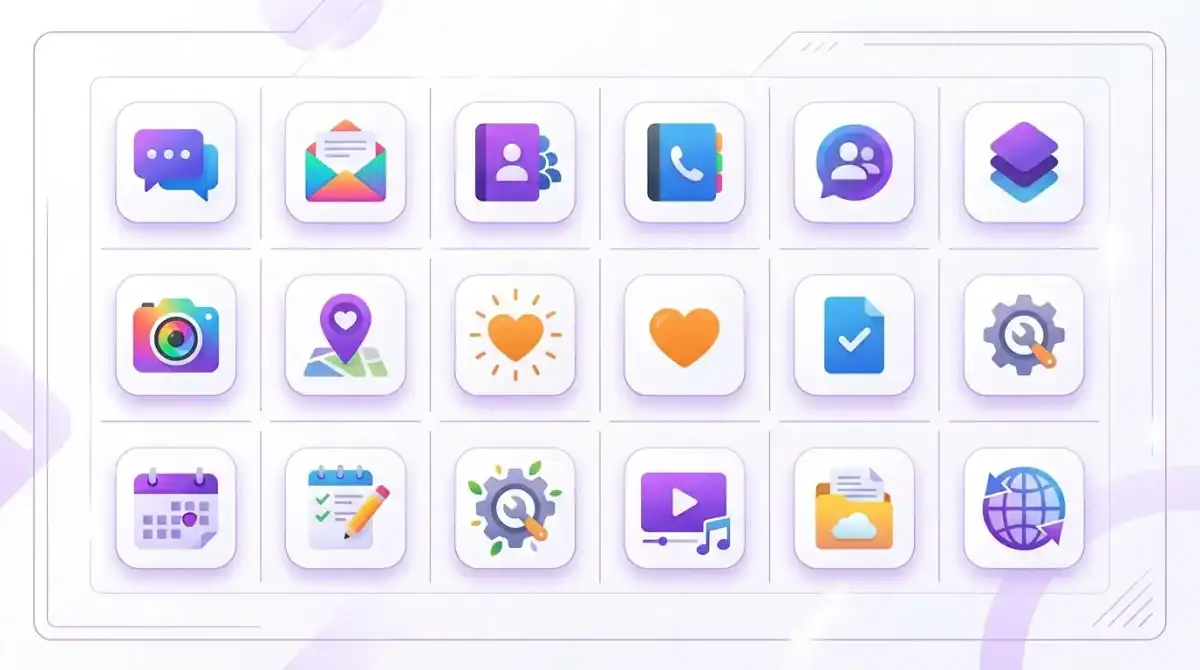
| Tool | Category | Best For | Free Plan |
|---|---|---|---|
| ChatGPT | Writing | General writing and brainstorming | GPT-4o limited, 4o mini unlimited |
| Google Gemini | Writing | Research-based writing | Full access, generous limits |
| Claude | Writing | Long-form, nuanced content | Claude 3.5 Sonnet, daily limits |
| Canva | Design | Social media and quick graphics | 250K+ templates, limited AI |
| Microsoft Designer | Design | AI image generation | DALL-E 3, daily limits |
| Leonardo AI | Design | Creative AI artwork | 150 daily tokens |
| Notion AI | Productivity | Notes and project management | Limited AI queries |
| Perplexity AI | Productivity | Research with cited sources | Unlimited basic, limited Pro |
| CapCut | Video | Video editing with AI features | Most features free |
| Runway ML | Video | AI video generation | 125 credits on signup |
| GitHub Copilot | Coding | Code completion in VS Code | 2,000 completions/month |
| Codeium | Coding | Unlimited code assistance | Unlimited completions |
5 Tips to Get More from Free AI Tools
💡 Tip #1 — Combine Tools
No single tool does everything well. Use Claude for writing, Perplexity for research, Canva for design, and CapCut for video. A free multi-tool workflow can rival expensive paid setups.
💡 Tip #2 — Write Better Prompts
Vague input = vague output. Be specific about the format, tone, length, and audience. The more context you give the AI, the less editing you’ll need to do afterward.
💡 Tip #3 — Always Edit the Output
Use AI to get 80% of the way there, then invest your time in refining that final 20%. That human touch is what separates mediocre content from great content.
💡 Tip #4 — Check Privacy Policies
Free tools often use your data to train their models. If you’re working with sensitive or client information, read the privacy policy before pasting anything into an AI tool.
💡 Tip #5 — Start with One Tool Per Category
Don’t try to master all 12 at once. Pick one from each category, spend a week getting comfortable, then expand. The goal is to find what works for your specific needs.
Frequently Asked Questions
Are these AI tools really free?
Yes. Every tool on this list offers a genuine free plan — not a trial. You can use them indefinitely without a credit card. Some have usage limits on the free tier, but they’re generous enough for most personal and small-scale use.
Which free AI tool is best for beginners?
ChatGPT and Canva are the most beginner-friendly options. ChatGPT requires zero setup — just type and go. Canva’s drag-and-drop interface makes design accessible to anyone, regardless of experience.
Can I use these tools for commercial projects?
Most of these tools allow commercial use on their free plans, but the specific terms vary. Always check each tool’s terms of service before using AI-generated content for business purposes.
Which AI writing tool produces the most natural content?
In my experience, Claude produces the most human-sounding, well-structured writing among the free options. Google Gemini is a close second, especially for factual and research-based content.
Will this list be updated?
Yes. The AI tool landscape changes rapidly. I’ll update this guide regularly as tools evolve, new options emerge, and free plans change. Bookmark this page to stay current.
Final Thoughts
The free AI tool ecosystem in 2026 is, frankly, incredible. You can write, design, edit video, generate code, and conduct research — all without spending a dollar. Just a few years ago, this level of capability would have cost hundreds in monthly subscriptions.
But here’s the thing I want you to take away from this article: the tools are only as good as how you use them. Downloading twelve apps and trying everything at once will leave you overwhelmed and unproductive. Instead, pick one tool from each category that matches your immediate needs, learn it well, and build from there.
The real advantage isn’t having access to AI — everyone has that now. The advantage is knowing which tools to use and how to use them effectively. That’s exactly what we focus on here at Sidi Digital.
If you found this guide useful, you might also enjoy these:
- Browse all our AI Tool guides
- Step-by-step tutorials for beginners
- Honest tool reviews and comparisons
- Learn more about Sidi Digital
Got a free AI tool you think should be on this list? I’d love to hear about it — reach out through our contact page.